Amending & Cancelling Bookings
You can modify or cancel individual items on a confirmed booking directly from the order detail page without needing to cancel the whole booking.
Changing booking dates
To edit the dates on a booking, click the Confirmed status dropdown in the top right of the order and select Edit Order.
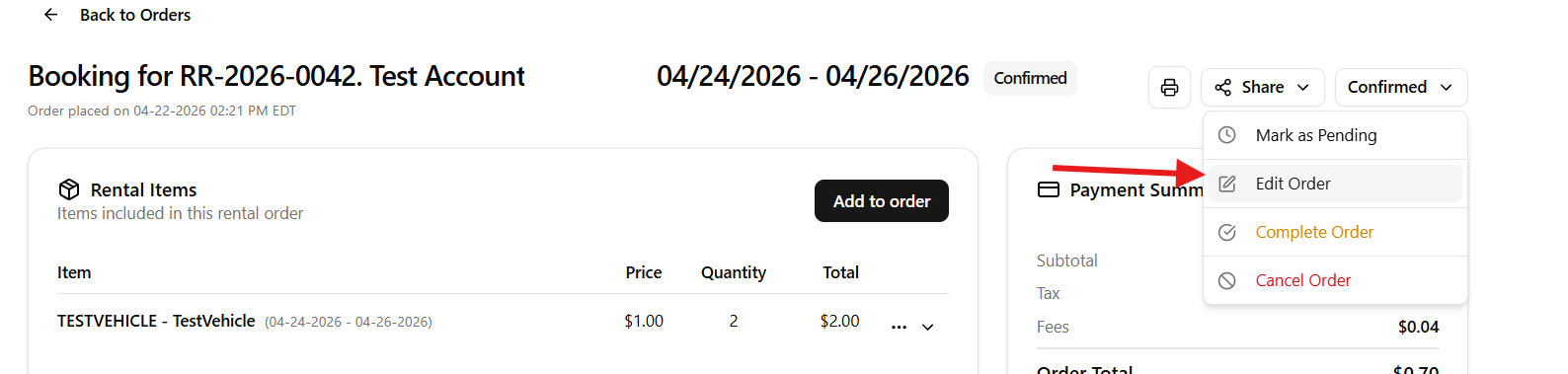
The Edit Booking Dates modal will appear. Update the start and end dates as needed. The rental duration will recalculate automatically.
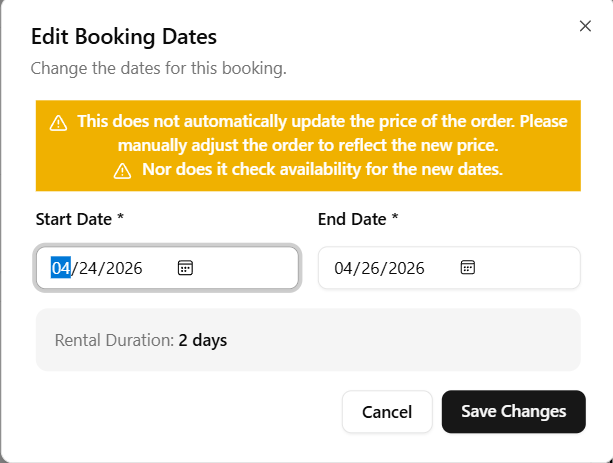
Changing the dates does not automatically update the price of the order. You will need to manually adjust the order total to reflect the new pricing. The system also does not check availability for the new dates — you are responsible for confirming the asset is available before saving.
Click Save Changes when done.
Swapping a rental item
Open the order and locate the item in the Rental Items section. Click the three dots (...) beside the line item to open the action menu.
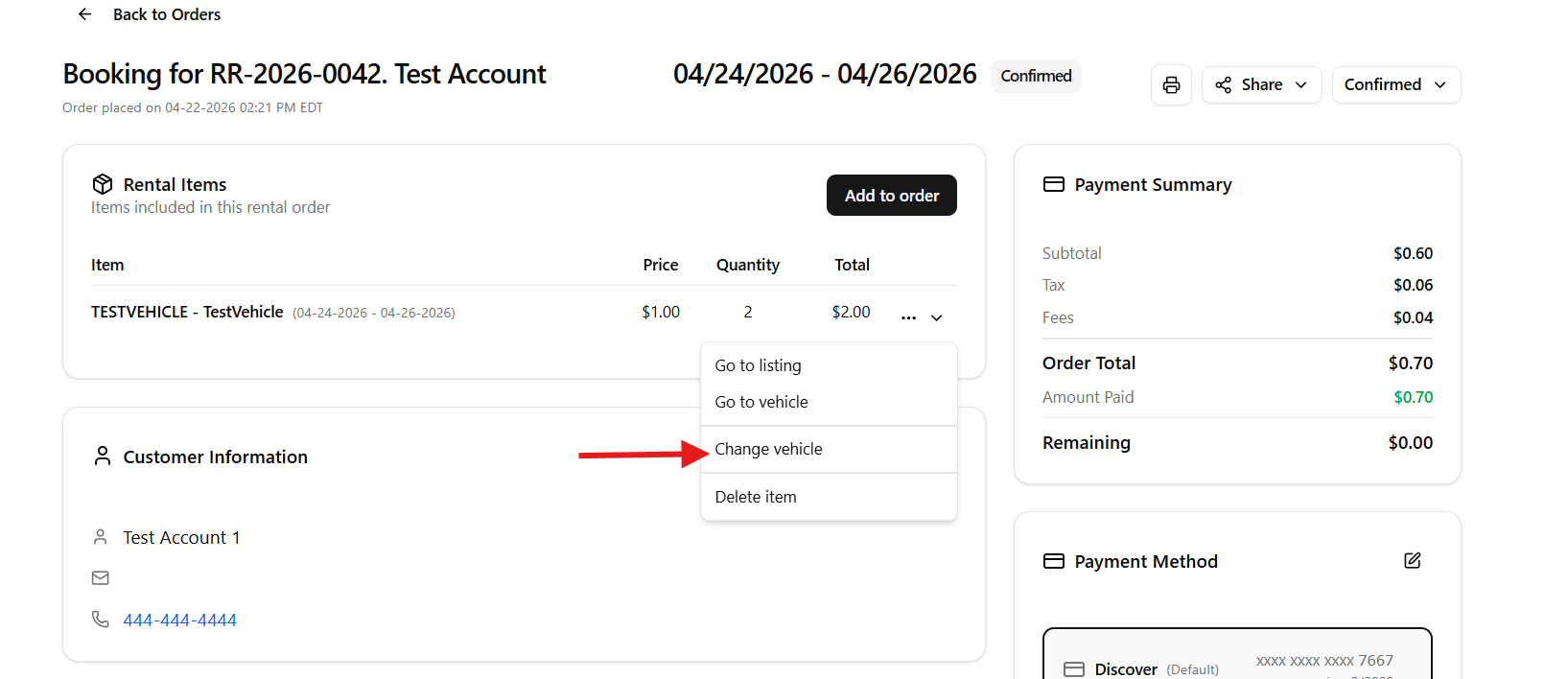
- Go to listing — view the original listing for this item
- Go to vehicle — jump to the asset record
- Change vehicle — swap this item for a different available unit
- Delete item — remove this item from the order
Click Change vehicle to open the availability modal. It shows all units available for the original booking time frame. If the replacement has a different price, the Payment Summary card updates automatically to show whether a refund is owed or additional payment is required.
Cancelling an order
Click the Confirmed status dropdown in the top right and select Cancel Order. This cancels the entire booking. To remove a single item only, use Delete item from the line item menu instead.
Cancelling an order will automatically release the inventory back into the availability calendar, making it available for new bookings immediately.
Order status options
From the status dropdown you have four options:
- Mark as Pending — move the order back to pending if it needs review
- Edit Order — change the booking dates
- Complete Order — mark the rental as returned and finished
- Cancel Order — cancel the booking entirely