Delivery Settings
FlexiRent supports delivery configuration per location, allowing you to offer delivery from some locations and not others, with different zones and fees for each.
To access delivery settings go to Settings in the top navigation, then select Delivery Settings from the left sidebar.
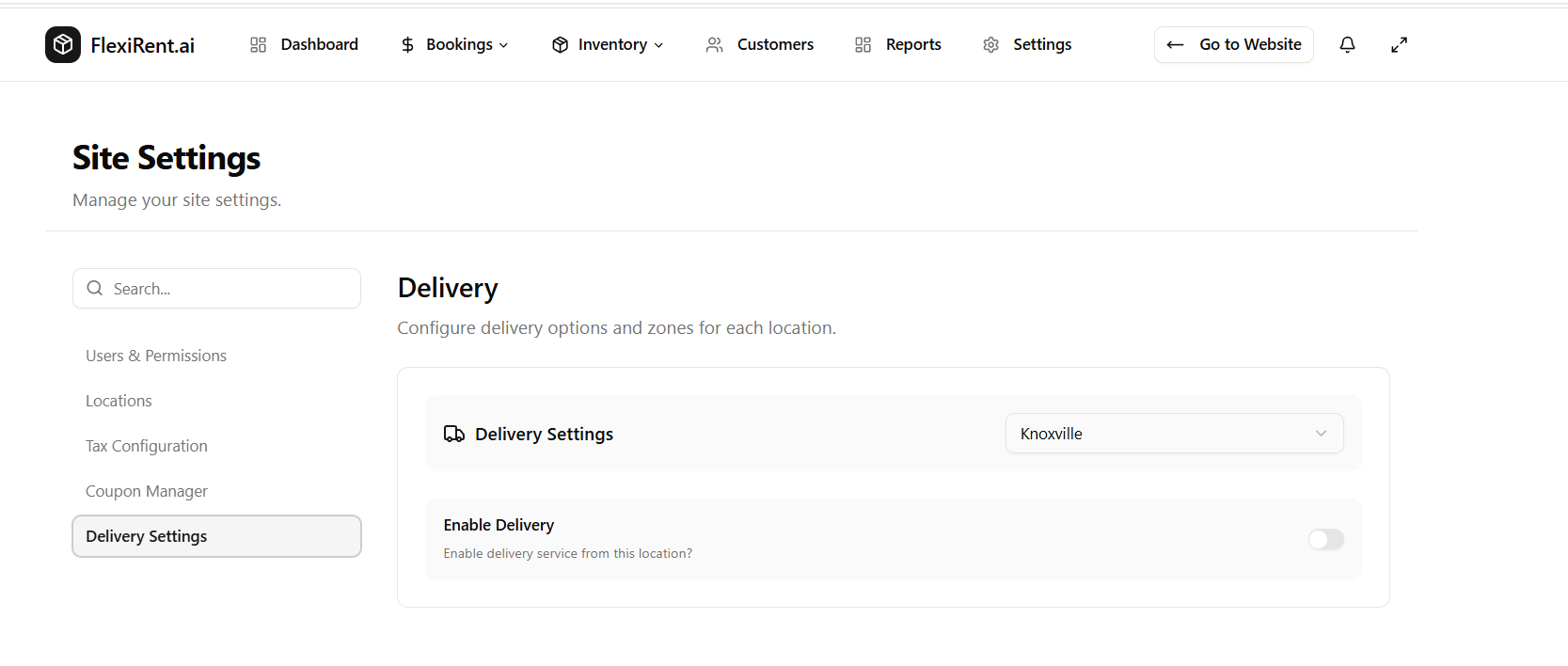
Selecting a location
Delivery settings are configured independently for each of your locations. Use the location dropdown in the top right of the Delivery Settings card to switch between locations.
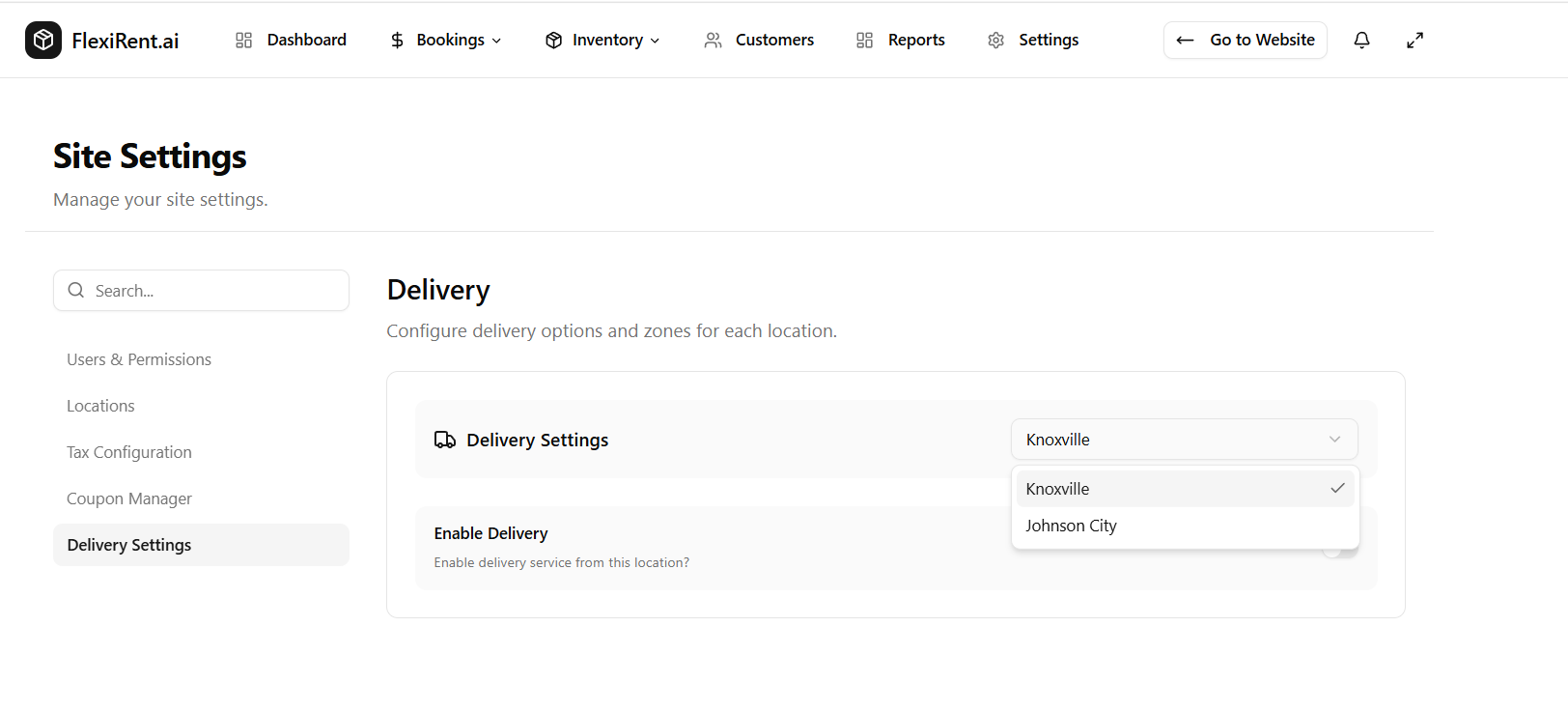
Each location saves its own delivery configuration independently.
Enabling delivery
Use the Enable Delivery toggle to turn delivery on or off for the selected location. When disabled, delivery will not be offered to customers booking from that location.
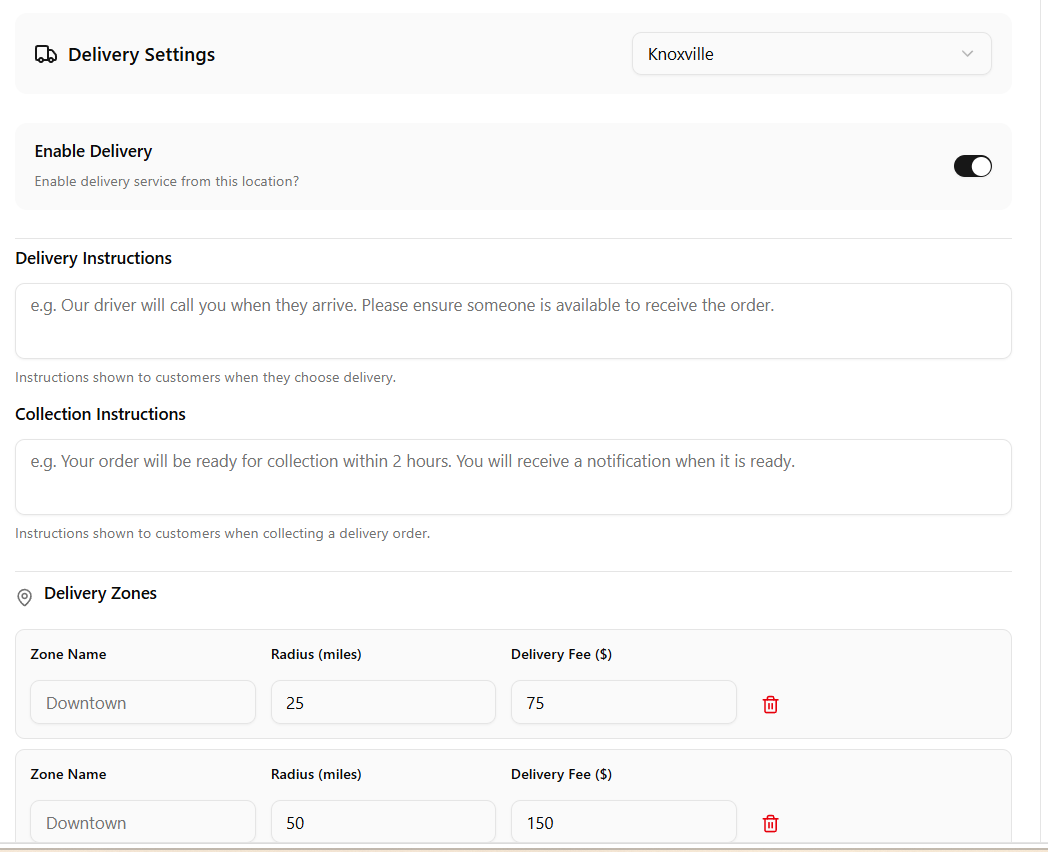
Enabling delivery reveals the full configuration options for that location.
Delivery instructions
Once delivery is enabled you can set two sets of instructions that are shown to customers:
Delivery Instructions — shown to the customer when they select delivery at checkout. Use this to set expectations, for example letting them know a driver will call when arriving.
Collection Instructions — shown when the customer is collecting a delivery order. Use this to explain the collection process and any timings they should expect.
Delivery zones
Delivery zones let you charge different fees based on how far the delivery address is from your location. Each zone is defined by a radius in miles and a flat delivery fee.
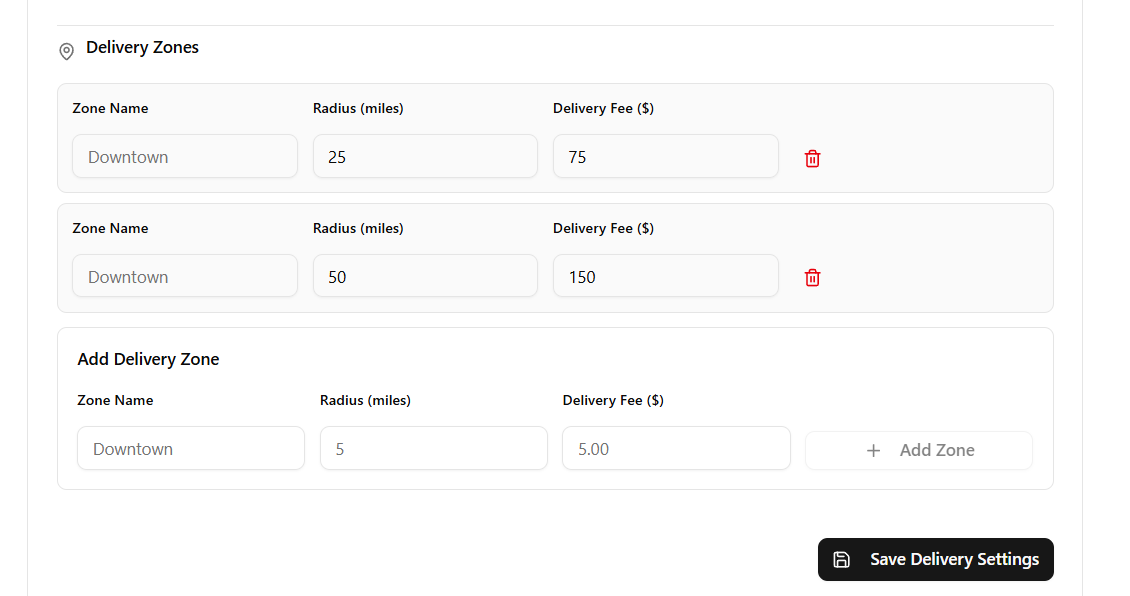
To add a new zone fill in the Add Delivery Zone fields at the bottom:
- Zone Name — a label for the zone, e.g. Downtown, Suburbs, County
- Radius (miles) — the maximum distance from your location this zone covers
- Delivery Fee ($) — the flat fee charged for deliveries within this zone
Click + Add Zone to add it to the list. You can add as many zones as needed to cover your delivery area with tiered pricing.
To remove a zone click the red trash icon beside it.
When you are done click Save Delivery Settings to apply your changes.
Set up zones from smallest to largest radius so customers in closer areas pay a lower delivery fee than those further away. For example a 25 mile zone at $75 and a 50 mile zone at $150.